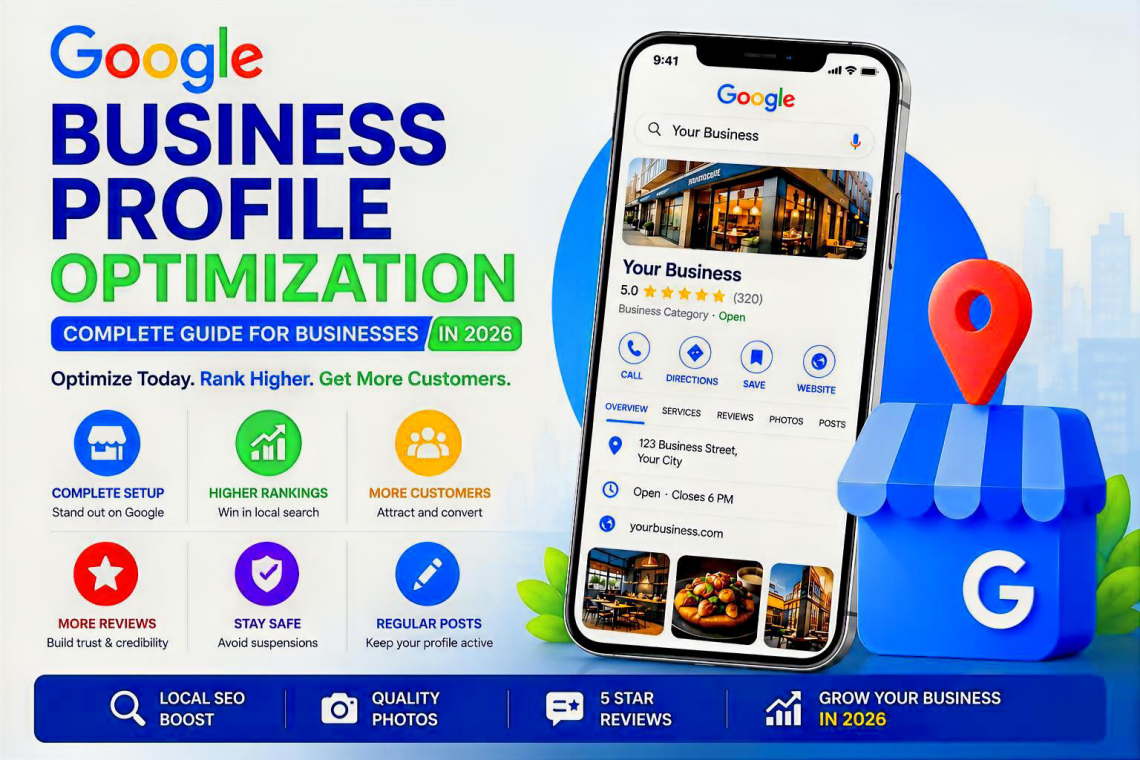
A strong Google Business Profile can put your business in front of customers at the exact moment they are searching for what you offer. This guide shows you how to build, verify and optimize your profile for Google Search, Google Maps, local customers and the increasingly AI-assisted search journey.
Google Business Profile optimization means making your business information accurate, complete, useful, trustworthy and consistent so Google can understand what your business is, where it operates and which searches it should appear for. Start with the right categories, complete every relevant field, keep hours and contact details accurate, add real photos, earn genuine reviews, respond to customers, maintain a strong local website and follow Google’s eligibility rules.
If a potential customer searches “dentist near me,” “best Nigerian restaurant in London,” “plumber in Abuja” or “web designer in Rimini,” Google may show a map, a local pack and individual Business Profiles before the user reaches traditional organic results. That is why Google Business Profile optimization deserves the same attention as your website SEO.
But there is an important distinction: a Business Profile is not a place to stuff keywords or imitate whatever a competitor is doing. Google’s own guidance emphasizes accurate representation of the real-world business, complete information and compliance with profile policies. Local results are primarily influenced by relevance, distance and prominence. You cannot pay Google for a better organic local ranking.
For businesses operating in Nigeria, also see Afrimasterweb’s practical guide on how to rank your business on Google Maps in Nigeria. If you are new to the subject, our introduction to local SEO explains how Maps, local listings, websites and customer signals work together.
What Google Business Profile Optimization Actually Means
Your Google Business Profile is the business information Google can show across Search and Maps: business name, category, address or service area, phone, website, opening hours, photos, reviews, services and other information that may vary by business type, category and country.
Optimization is the disciplined process of making those signals as complete and accurate as possible while improving the wider online evidence that supports your business. The goal is not to “trick” the local algorithm. It is to make it easy for Google and customers to answer five questions:
Your primary category and business information should make your core business obvious.
Services, products, photos, website pages and reviews should confirm your real offer.
Your physical location or legitimate service area must accurately represent the business.
Real reviews, consistent information, professional responses and a credible website reduce uncertainty.
Current hours, fresh photos, updated services and useful posts tell customers the profile is maintained.
Your category, services, website and local reputation help connect you with appropriate searches.
1. Set Up Your Google Business Profile Correctly
Before chasing rankings, get the foundation right. Many visibility problems begin with inaccurate information, duplicate listings, unsupported addresses or a business model that does not meet Google’s eligibility rules.
Use the real business name
Your profile name should represent the name customers encounter in the real world. Avoid adding marketing phrases, city names, service keywords, phone numbers or slogans simply to rank. A genuine business called “Bona Dental Clinic” should not become “Bona Dental Clinic Best Emergency Dentist Rome 24/7” unless that is genuinely the established business name used consistently in the real world.
Common mistake: keyword-stuffing the business name
It can create policy risk and make your brand look less trustworthy. Strong local SEO should come from relevance, categories, services, website content, reviews and prominence—not from turning the name field into an advert.
Use the correct address or service-area model
A storefront business should use a real location where customers can visit during stated hours. A service-area business that travels to customers and does not serve customers at its address should generally hide the address and define its service area instead. Google does not consider ordinary virtual offices eligible unless the location meets its specific staffing, signage and customer-facing requirements.
For service-area businesses, Google currently allows up to 20 service areas and advises that the overall area generally should not extend beyond roughly two hours of driving time from the business base, although exceptions can apply to certain business models.
Read Google’s official guidelines for representing your business and service-area guidance before making risky address changes.
2. Categories: One of the Most Important Relevance Decisions
Your primary category tells Google what type of business you are. Choose the closest available category to your core activity, not the category with the biggest search volume and not a category that describes only a minor side service.
A bakery that also sells coffee should normally choose the category that best describes the main business. A law firm should not select unrelated legal categories merely because it wants impressions for more queries. Additional categories can help when they accurately represent meaningful parts of the business.
| Decision | Better approach | Avoid |
|---|---|---|
| Primary category | Choose the category that best represents the core business. | Selecting a broad or inaccurate category solely for traffic. |
| Secondary categories | Add only genuinely relevant business activities. | Adding every remotely related category. |
| Category changes | Change when the business genuinely changes or the current choice is wrong. | Frequent experimentation on a stable profile without a business reason. |
Expert tip
Think of your primary category as your profile’s clearest “what we are” signal. Your services, products, website and reviews can then provide depth around “what we do.”
3. Add Services and Products Customers Actually Search For
If your category supports services, complete the services section with the real services customers can buy. Use natural service names. Write for a customer who wants to know whether you solve their problem—not for an SEO tool counting keywords.
A web design company might list website design, e-commerce website development, website maintenance, local SEO and technical SEO if it genuinely offers those services. A beauty salon might list braiding, manicure, pedicure, hair colouring and bridal styling.
Product features vary by eligibility, location and category. Retailers that have product options available should keep key products accurate, use clean images and avoid outdated pricing or unavailable offers. Google also uses product information to better understand what eligible merchants sell.
Action step
Open your website’s service navigation beside your Business Profile. If an important revenue-generating service has a dedicated page on your website but is missing from the profile, review whether it should be added.
4. Write a Useful Business Description and Complete Every Relevant Detail
Your business description should quickly explain what the business does, who it serves and what makes it useful. Do not turn it into a wall of keywords. Write a compact introduction a real customer would understand.
Then check the operational fields people depend on: phone number, website, regular hours, special hours, opening date where applicable, accessibility attributes, appointment options and category-specific details. Some features are available only to certain categories or regions, so your interface may not exactly match another business owner’s screen.
Google explicitly recommends complete and accurate information because it helps customers understand what you do, where you are and when they can visit. That accuracy is also part of a strong local ranking foundation.
5. Photos and Videos: Show Customers the Business Is Real
High-quality photos do more than make a profile attractive. They reduce uncertainty. A customer can see the entrance, interior, products, team, menu, finished work or equipment before calling or visiting.
Google says verified businesses can add photos and videos, including images of storefronts, products and services. An exterior image can help customers recognize a location when they arrive.
What to upload
- Exterior photos that make the entrance easy to recognize.
- Interior photos that accurately show the customer environment.
- Real products, completed jobs or service outcomes.
- Team photos where appropriate and consented to.
- Seasonal updates when the appearance of the business changes.
- Short videos that clarify the experience, location or service.
Avoid stock images that could belong to any business. Your profile should make the real company more recognizable.
Recommended filename: google-business-profile-photo-checklist.webp
6. Reviews: Build Trust Without Crossing the Policy Line
Reviews are one of the most visible trust signals on a Business Profile. Google’s local-ranking guidance says more reviews and positive ratings can help local ranking, while the review itself gives future customers context that a star average alone cannot provide.
Ask genuine customers for honest feedback at sensible moments: after a successful delivery, completed appointment, resolved support case or repeat purchase. Google provides a review-request link and QR-code workflow for eligible profiles.
Do not buy or incentivize Google reviews
Google states that offering free or discounted goods or services in exchange for posting, changing or removing reviews is prohibited fake engagement. Build a review process, not a review manipulation scheme.
Reply to reviews like a business owner, not a robot
Thank happy customers with specific, natural replies. If someone raises a valid complaint, acknowledge the issue, avoid publishing private information and invite the customer to continue the resolution through the proper channel. If a review violates Google’s policies, use Google’s reporting process rather than arguing publicly.
Google requires verification before a business can reply to reviews. Review availability can also differ by country, region and category.
Manage customer reviews and review Google’s official guidance on getting more reviews.
7. Use Google Posts as Customer Communication, Not Busywork
Where Posts are available to your profile, use them for information that helps a customer act: a current offer, event, new service, important update, product highlight or useful business announcement.
A weak post says, “We are the best. Contact us today.” A better post says exactly what changed, who it is for, when it applies and what the customer should do next.
Simple post formula
Customer need → specific update → useful detail → action. For example: “Need a Saturday appointment? We now open Saturdays from 9:00 to 14:00. Booking is available on our website.”
8. Verification: Prove You Control a Legitimate Business
Verification methods are determined by Google and can vary by business. Depending on the profile, Google may offer methods such as video, phone, email or other verification processes. You may not be able to choose every method.
Before starting verification, make sure the business name, address or service-area model, signage where required, website and business documentation tell the same story. Inconsistency makes verification and later support cases harder.
If video verification is requested
Prepare to demonstrate the business environment and evidence that you manage it. The exact requested evidence can vary. Follow the instructions shown in the verification flow rather than relying on an old tutorial, because Google changes these workflows over time.
9. Google Business Profile Suspensions: Fix the Cause Before You Appeal
A suspended or disabled profile can lose management access or visibility. Google states that profiles that do not follow its guidelines may be suspended or disabled, and eligible businesses can submit an appeal after addressing the problem.
Common risk areas include an ineligible location, virtual-office misuse, inaccurate or keyword-stuffed business names, duplicate profiles, unsupported business models, misleading information or other policy violations.
A safer recovery workflow
- Read the policy notice carefully. Identify what Google says is wrong.
- Audit the entire profile. Check name, address, service area, category, website, phone and duplicates.
- Correct genuine policy problems. Do not appeal while knowingly leaving inaccurate information in place.
- Prepare evidence. Business registration, licences where relevant, utility bills, storefront evidence and other documentation may help establish legitimacy, depending on the case.
- Use Google’s official appeal process. Avoid repeatedly creating replacement profiles for the same business.
Use Google’s official suspended-profile guidance for the latest appeal process.
10. How Google Local Ranking Works: Relevance, Distance and Prominence
Google’s public explanation of local ranking is refreshingly simple: local results are mainly based on relevance, distance and prominence/popularity. Your optimization plan should map back to those three ideas.
| Local factor | What it means | What a business can improve |
|---|---|---|
| Relevance | How closely the business matches what the customer appears to be searching for. | Accurate category, services, profile details, useful website pages, clear local content. |
| Distance | How far the business is from the location used or implied in the search. | Keep the real address/service area accurate. You cannot legitimately “SEO” your way into being physically closer. |
| Prominence | How well known and established the business appears online and offline. | Reviews, links, mentions, citations, website authority, brand reputation and consistent business information. |
This is why a complete Business Profile alone is not enough. A credible local website, strong reputation and consistent presence across the web reinforce the same entity.
Google also says there is no way to request or pay for a better local organic ranking. Be cautious with anyone promising a guaranteed #1 Maps position.
11. Connect Your Business Profile to a Strong Local Website
Your website gives you room to explain what the Business Profile cannot. Build clear pages for your important services, locations where you genuinely operate, pricing or quote processes where appropriate, trust information, FAQs and contact details.
Do not create hundreds of thin city pages that say almost the same thing. Useful local pages should contain real location-specific value.
If your site needs deeper work, Afrimasterweb offers SEO services covering local and technical SEO, and our digital marketing services focus on visibility, leads and conversion. You can also review our guide to SEO tools every small business needs.
Build consistent business citations
Authoritative directories and industry sites can support discovery and consistency when the listing is genuine, accurate and maintained. Afrimasterweb’s business directory is one place businesses can expand their online presence, and this guide explains how to optimize a business directory listing for local SEO.
Local consistency check
Compare your business name, phone number, website and location information across your Business Profile, website, major social profiles and relevant directories. Correct genuine inconsistencies rather than mass-building low-quality citations.
12. What Google Business Profile Optimization Means for AI Search in 2026
Search is increasingly conversational. Customers do not always type a short keyword and inspect ten blue links. They ask longer questions, use Maps, compare businesses, read summaries and rely on AI-assisted interfaces to narrow choices.
For a local business, that makes entity clarity more important. Your business should be described consistently across the web: same real-world name, same category logic, the same core services, credible location information and a trustworthy website.
It would be misleading to promise that adding a particular Business Profile field will guarantee inclusion in an AI-generated answer. Google does not publish a simple “AI local ranking checklist” that gives businesses that guarantee. The practical strategy is to make your business easy to verify, understand and corroborate across Search, Maps, your website and reputable third-party references.
Describe services and locations clearly instead of relying on vague marketing language.
Keep core business facts aligned across your profile, website and trusted listings.
Use concise FAQs and service explanations that answer real customer questions directly.
That approach also supports traditional SEO. For a broader growth strategy, read Afrimasterweb’s guide to reaching new customers online.
Google Business Profile Optimization Checklist for 2026
- Use the genuine real-world business name.
- Select the most accurate primary category.
- Add only relevant secondary categories.
- Use a legitimate storefront address or correct service-area setup.
- Remove duplicate or ineligible profiles.
- Keep phone, website and opening hours current.
- Add special/holiday hours when needed.
- Write a clear, customer-focused business description.
- Add accurate services and products where available.
- Upload real, high-quality storefront, interior, service and product photos.
- Request honest reviews from genuine customers.
- Never pay or reward customers for Google reviews.
- Respond professionally to positive and negative reviews.
- Publish useful Posts where the feature is available.
- Keep the website locally relevant and technically healthy.
- Maintain consistent information on reputable directories.
- Monitor profile edits, calls, website visits and customer actions.
- Follow policy guidelines before making major identity or address changes.
- Review the profile at least monthly and after any real business change.
Want More Customers to Find Your Business?
Google Business Profile optimization works best when your Maps presence, website, reviews, local citations and SEO strategy reinforce one another. Afrimasterweb helps businesses improve online visibility and build a stronger path from search to enquiry.
Explore Afrimasterweb SEO ServicesList Your BusinessFrequently Asked Questions
Is Google Business Profile free?
Google Business Profile is offered by Google for eligible businesses to claim and manage their presence on Search and Maps. Be cautious of third parties implying that you must pay Google simply to own or manage a basic profile.
How do I optimize my Google Business Profile?
Start with accurate business information, the right category, correct address or service area, current hours, a strong description, relevant services, real photos and a genuine review process. Then support the profile with a useful local website, reputable mentions and consistent business information across the web.
What are the main Google Maps ranking factors?
Google publicly describes local ranking around relevance, distance and prominence/popularity. Relevance is how closely the business matches the search; distance concerns proximity; prominence reflects how well known and established the business appears.
Can I pay Google to rank my Business Profile higher?
No. Google states that there is no way to request or pay for a better local organic ranking. Advertising can buy paid visibility, but that is different from improving organic local ranking.
Do Google reviews help local SEO?
Reviews help customers evaluate a business, and Google’s local-ranking guidance says more reviews and positive ratings can help local ranking. Reviews are only one part of the picture, so businesses should not ignore categories, website relevance, distance, prominence and profile accuracy.
Can I offer a discount for a five-star review?
No. Google prohibits incentives such as free or discounted goods or services in exchange for posting, changing or removing reviews. Ask genuine customers for honest feedback instead.
Should I put keywords in my business name?
Only if those words are genuinely part of the established real-world business name. Adding extra keywords, locations or marketing text purely to rank can violate Google’s representation guidelines.
How often should I update my profile?
Update it whenever business information changes. A monthly quality check is sensible for most active businesses, with immediate updates for holiday hours, address changes, phone changes, temporary closures or major service changes.
Do I need a website if I already have a Google Business Profile?
A website is strongly recommended. It gives customers detailed service information and gives search engines more context about the business. Your Business Profile and website should support each other rather than compete for attention.
Why is my business not showing for every nearby search?
Local results are personalized by query and location, and Google evaluates relevance, distance and prominence. A verified, optimized profile does not guarantee that the business will show for every keyword or every searcher.
What should I do if my Google Business Profile is suspended?
Audit the profile against Google’s eligibility and representation guidelines, correct genuine violations, prepare evidence of the real business and use Google’s official appeal process. Avoid creating duplicate replacement profiles as a shortcut.
Can a service-area business show its home address?
If customers are not served at the address, Google generally instructs service-area businesses to remove the public address and use a service area. Always follow the current rules for your exact business model.
Does posting every day make a profile rank #1?
No. Regular useful updates can improve customer communication, but Google does not say that daily posting guarantees top local ranking. Focus first on accurate profile information, relevance, genuine reviews, website quality and overall prominence.
Can Google Business Profile help with AI search?
A complete and consistent profile helps establish clear local business information across Google surfaces. That can support discoverability in an AI-assisted search environment, but there is no guaranteed field or optimization trick that forces inclusion in AI-generated answers.
If the article helped you, please use the page rating/review feature and leave useful feedback. Your experience helps Afrimasterweb improve future guides for business owners.
Was This Guide Useful?
If this helped you improve your Google Business Profile, share it with another business owner. Good local visibility often starts with one accurate, trustworthy profile.
Your Next Move
Do not try to optimize everything in one frantic session. Start with accuracy. Confirm the business name, category, location model, phone, website and hours. Then improve services, photos and reviews. After that, strengthen the website and the wider local presence that supports your prominence.
Google Business Profile optimization is not a one-time box to tick. It is part of running a visible, trustworthy local business. Keep the information correct, make the profile genuinely useful to customers, and build enough real-world reputation that Google has good reasons to understand and surface your business.